Surface Layout Planning
A step-by-step approach to organizing your primary work surface — defining areas for active work, reference materials, and peripheral tools so everything has a designated place.
Our planning modules guide you through every layer of workspace organization — from surface layout and equipment placement to zone definition and workflow alignment.
Each module addresses a specific aspect of workspace organization, allowing you to focus on the areas most relevant to your situation.
A step-by-step approach to organizing your primary work surface — defining areas for active work, reference materials, and peripheral tools so everything has a designated place.
Guidance on screen distance, height positioning, tilt angle, and multi-monitor arrangement to support a comfortable viewing posture throughout the day.
Organizing storage by frequency of use — keeping frequently accessed items within easy reach while archiving less-used materials in designated secondary zones.
Practical recommendations for managing cables, power access, and peripheral placement to reduce visual clutter and create a cleaner, more organized surface.
Small, consistent adjustments to your workstation setup can meaningfully reduce physical tension over time. These are the core areas we review in every consultation.
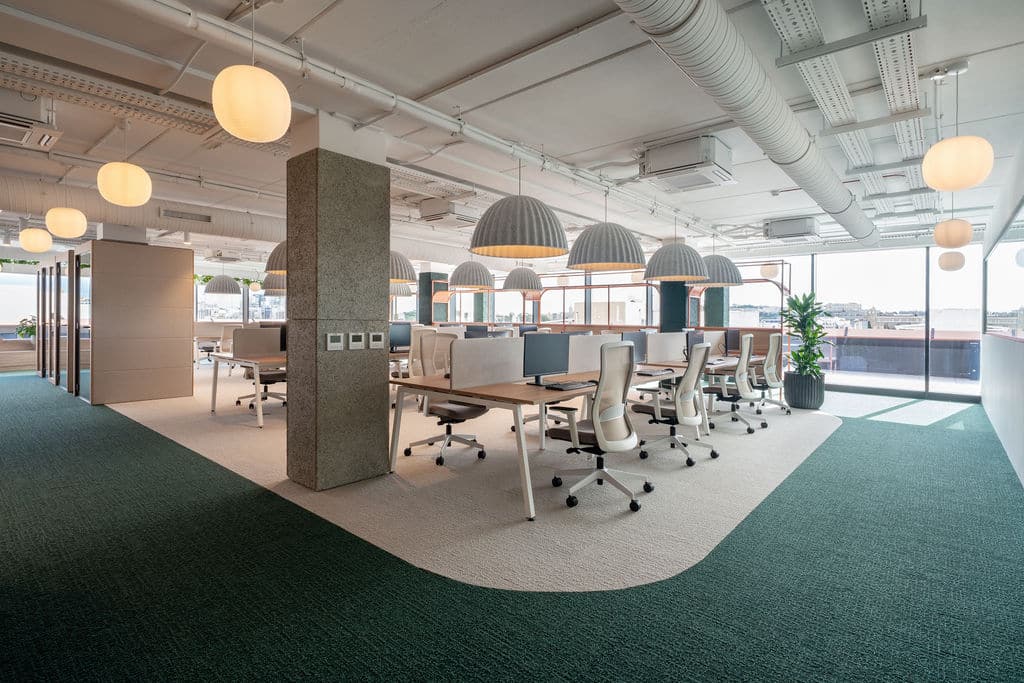
Dividing your workspace into distinct zones reduces cognitive switching and makes it easier to maintain organization over time.
The central area of active engagement — your screen, keyboard, and immediate working surface. Kept clear, accessible, and free from unrelated items.
Materials, notes, and resources that support current tasks. Positioned within easy reach but distinct from the primary work surface.
Archived documents, supplies, and infrequently used equipment organized into a dedicated storage area away from the active workspace.
A designated area for incoming and outgoing items — reducing the tendency for new materials to accumulate on the primary work surface.
All materials and practices presented are for educational and informational purposes aimed at supporting general well-being. They do not constitute medical diagnosis, treatment, or advice. Before applying any practice, particularly if you have existing conditions, please consult a qualified professional.
Connect with us for a structured, personalized workspace planning consultation.
Book a Consultation